A head-start, nothing more.
SendMyRx lets a patient photograph their paper prescription and fax it to your pharmacy before they walk over. They still arrive with the original paper Rx and government ID. Your dispensing workflow is unchanged — you just get a head start.

01 When a SendMyRx fax arrives
Treat it like any patient-brought prescription. Start prep if you'd like, and verify validity with the prescribing clinic if anything looks unusual — exactly as you would today. Call the patient at the number on the cover sheet when the order is ready.
02 The cover sheet badge
Every cover sheet shows one of two badges in the top-right corner:
The patient scanned a clinic-issued QR code at their doctor's office before sending. Origin is recorded.
No clinic scan. The patient initiated the send directly from the SendMyRx app.
Use this signal as you see fit. It does not replace your professional verification at dispensing.
03 What are clinic QR codes?
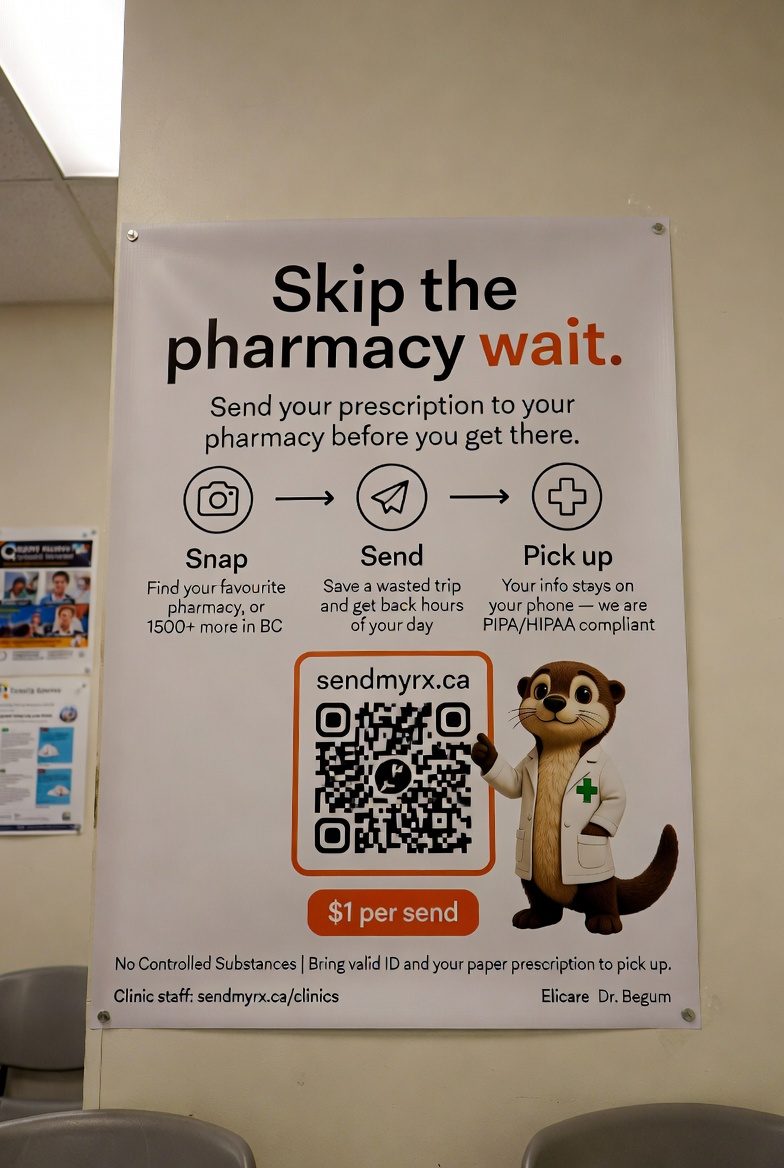
Some BC clinics post a SendMyRx poster in their waiting room. When a patient scans the QR code on the poster (in person, at the clinic) and then sends their fax, the cover sheet you receive shows the SCANNED AT CLINIC QR CODE badge in the top right with the clinic's name underneath.
Treat it as a stronger origin signal than a phone-initiated send: the patient was physically at a participating clinic with the door staff watching. The QR codes themselves are never available online — they only exist on the printed posters, so a screenshot of the poster from a stranger doesn't grant the badge.
See the full list of participating clinics at sendmyrx.ca/clinics.
04 What patients verify
- Phone number verified by SMS one-time code.
- $1 service fee paid with a real card / Apple Pay / Google Pay.
- Acknowledged that fraudulent use will suspend their account.
05 What we store on our servers
We don't persist patient health information. The patient enters their name, date of birth, PHN, address, and optional insurance on the fax cover sheet every time they send — that data lives only on their phone and is included in the fax we send you. Our database only holds:
We store
- The patient's phone number (for SMS sign-in)
- Pharmacy directory (pharmacy name, address, fax — from the BC College registry)
- Send metadata (timestamp, which pharmacy, status, payment ID)
We do NOT store
- Patient name, DOB, PHN, address
- The prescription image
- The cover sheet PDF
- Drug names or anything OCR'd on-device
- Insurance details
Card data is held by Stripe; we keep only the payment intent ID. Cover sheet PDFs are transmitted to SRFax and then discarded — never written to disk.
06 What we block on-device
Before any fax is sent, SendMyRx scans the prescription on the patient's phone and refuses to forward:
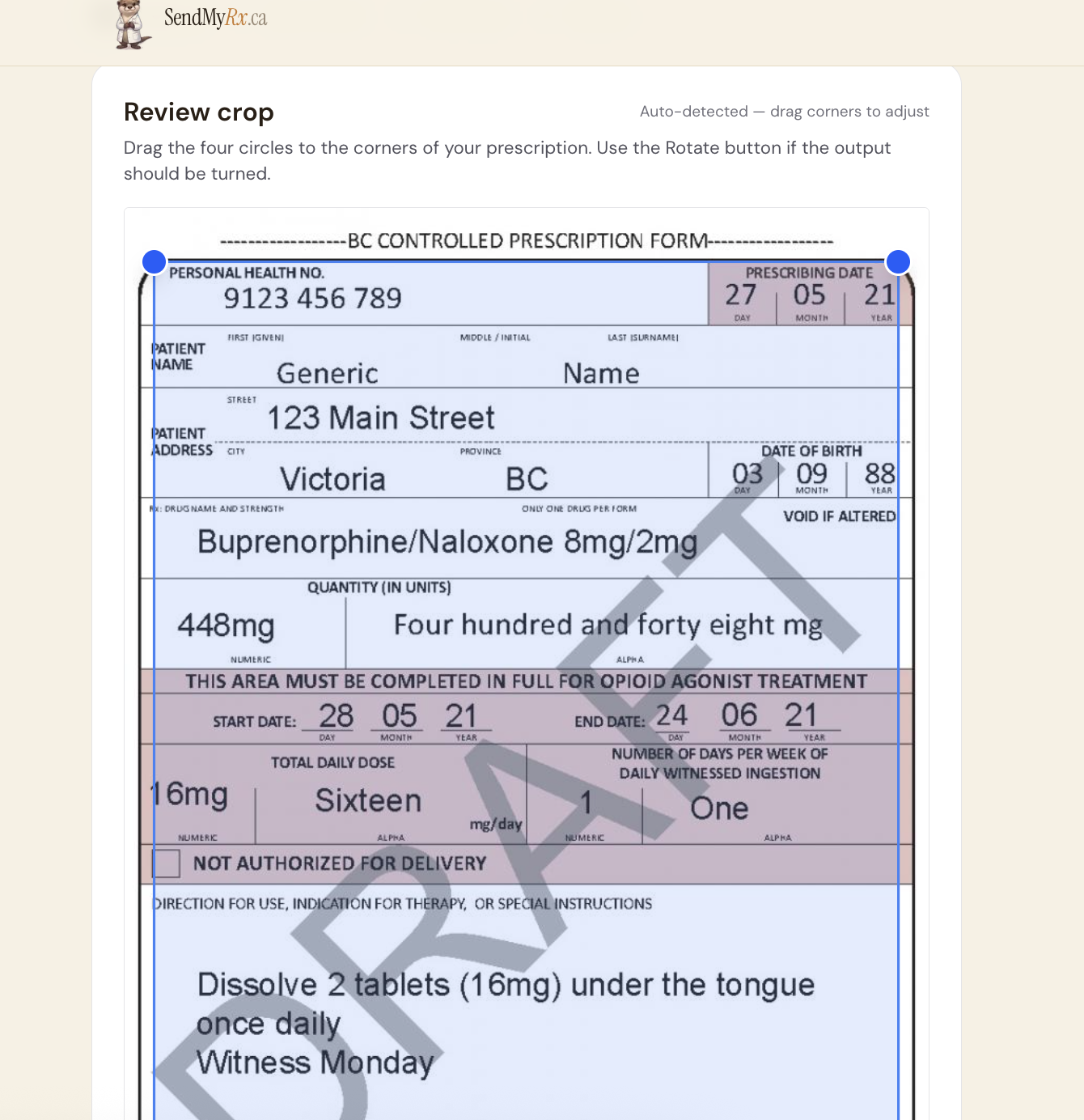
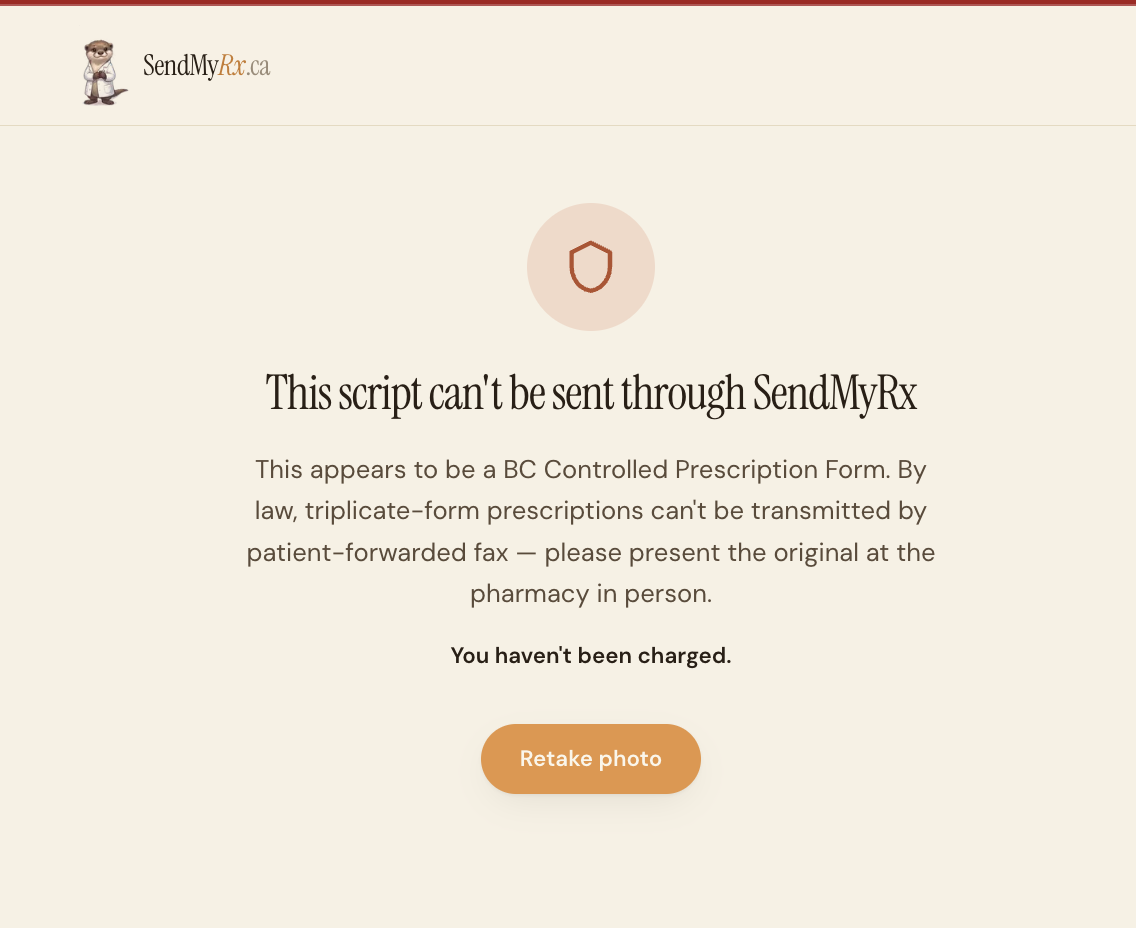
- BC Controlled Prescription Forms (any triplicate)
- Narcotics and opioids
- Benzodiazepines and Z-drugs
- Stimulants (ADHD medications)
- Barbiturates, anabolic steroids, and other CDSA-controlled drugs
On-device OCR + keyword match. False negatives are possible; your verification at dispensing is the legal backstop.
See it in action — Buprenorphine/Naloxone on a BC triplicate
07 Concerns or fraud
Every cover sheet includes a per-prescription report URL. Click it to flag the specific send. Two flags on a patient account automatically suspends them pending review.
08 Who runs SendMyRx

Operated by Richard, a BC pharmacy owner.
Questions? (778) 557-7072 during business hours.
SendMyRx is not a legal substitute for the original paper prescription. We do not dispense or verify on the pharmacy's behalf — we forward the patient's image to give you a head start.